Register at Oreels Casino and Claim Your First Deposit Bonus Today

Creating an account at O'Reels takes under five minutes. You need to be 18 or over, based in the UK, and have a valid email address. Once registered, you get access to 2000+ slots, table games and the welcome bonus. This guide walks through every step: from the registration form to your first login, KYC verification and how to activate your first deposit offer.

100% match up to £100
Create Accountwith bonus

Why You Need an Account

Without a registered account at O'Reels Casino, you can only browse the lobby. An account unlocks real-money play, deposit and withdrawal functionality, bonus eligibility and access to the VIP loyalty programme. Registration is free and takes a few minutes on desktop or mobile.

Key things you get after signing up:

  • Access to 2000+ slots from Pragmatic Play, Blueprint Gaming, Eyecon and more
  • Welcome bonus on your first deposit (minimum £20)
  • VIP points from the first real-money stake
  • Full cashier with Visa, PayPal, Trustly and bank transfer
  • Tools for responsible gaming: deposit limits, cool-off and self-exclusion

What You Need Before Starting

O'Reels is licensed by the UK Gambling Commission (licence 57869) and operates under Grace Media (Gibraltar) Limited. Registration is only open to UK residents aged 18 or over.

Before you open the form, have these ready:

  • Full legal name (must match your ID documents)
  • Home address in the UK
  • Date of birth
  • Valid email address you actively use
  • Mobile number
  • Preferred username and a strong password

You are allowed one account per person. Duplicate accounts are against the terms and will result in closure and forfeiture of any balance. If you previously held an account at another Betable network casino (for example Slots Rush or Onyx Slots) and set a self-exclusion or cooling-off period there, O'Reels will block new registration until that period ends.

Register at O'Reels

Finding the Registration Button

On desktop, the 'Join' button sits in the top-right corner of every page. On mobile browser, the same button appears in the header. If you have downloaded the O'Reels app from the App Store or Google Play, tap 'Join' on the opening screen. The button is consistently placed across all surfaces - you do not need to hunt for it.

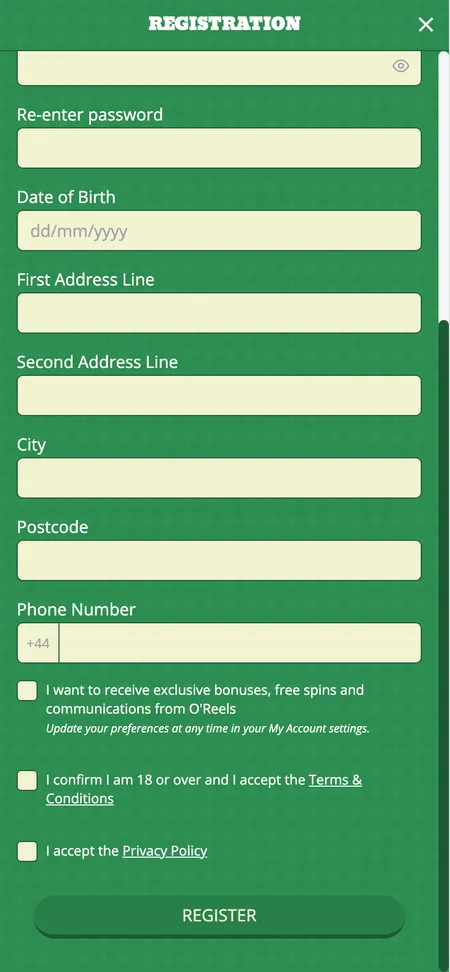
O'Reels Casino account registration form

The registration form collects your name, address, date of birth, email and login credentials.

How to Fill in the Registration Form

O'Reels uses a standard UK account-creation pattern. The form is split into logical sections:

Personal details Enter your first name, last name, date of birth and residential address. All fields must be accurate - this information is checked against KYC documents before your first withdrawal.

Login credentials Choose a username and a password. The password should be unique to O'Reels: at least eight characters, mixing upper and lower case with numbers. Do not reuse passwords from other sites.

Contact information Provide your email address and mobile number. O'Reels will send a confirmation link to your email. Your mobile number is used for account security and, optionally, for SMS marketing if you opt in.

Agreements and preferences Tick the box confirming you are 18 or over and agree to the Terms and Conditions. You can opt out of marketing emails and SMS from this screen - preferences are also editable later in 'My Account' under communication settings.

There is no mandatory promo code field during registration. Bonuses are applied automatically after deposit.

Account Confirmation

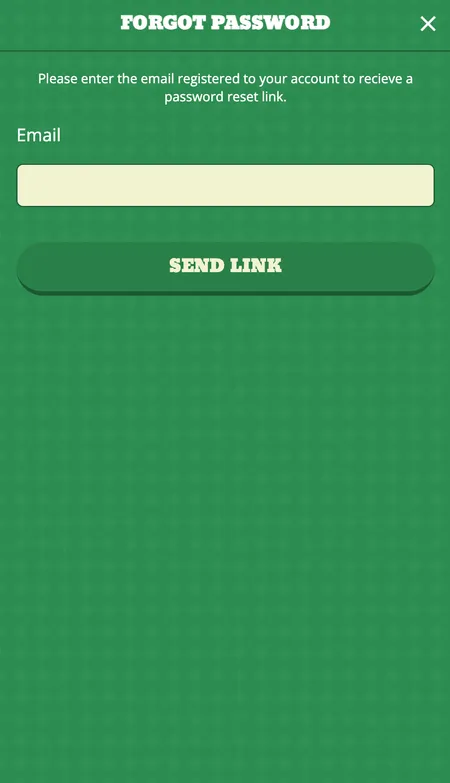
After submitting the form, O'Reels sends a verification email to the address you provided. Click the link in that email to activate your account. The link is valid for a limited window - if it expires, use the 'Forgot Password?' flow on the login page to resend access.

If you do not receive the email within a few minutes, check your spam folder. Still nothing? Contact support via 24/7 live chat with your registered email address and they will resolve it.

Most O'Reels accounts are verified automatically via electronic checks. In many cases you will not need to upload documents at registration - but you will before your first withdrawal.

Registering on Mobile and in the App

The mobile browser version of O'Reels is fully responsive. Every step of the registration works the same as on desktop. The native app (iOS and Android) mirrors the desktop experience with a touch-optimised interface. The App Store rating stands at 5 out of 5. You can complete registration, make a deposit, claim a bonus and start playing without switching to a browser.

For Android, download via Google Play. For iOS, use the App Store. Both apps include the full game catalogue and all payment methods.

Start Playing at O'Reels

Logging In for the First Time

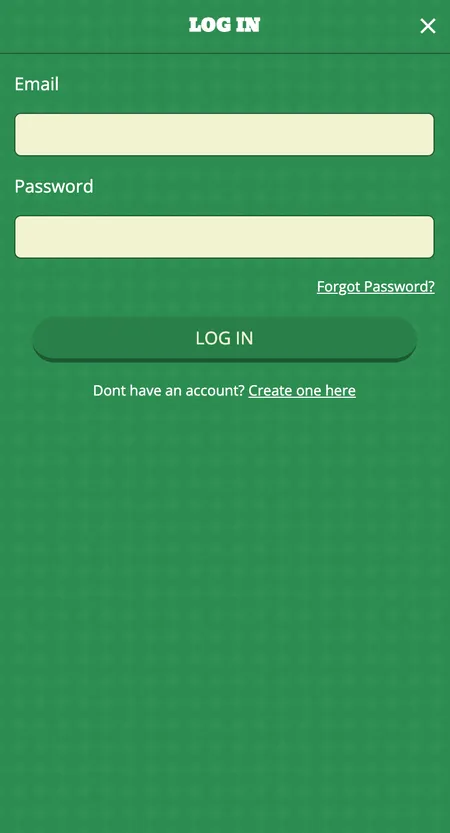
After email confirmation, return to oreels.com and click 'Login' in the top-right corner. Enter your username and password. O'Reels does not currently offer social login (Google, Facebook) - credentials are email and password only.

On mobile, the app supports autofill and device password managers. If you forget your password, use 'Forgot Password?' on the login screen, enter your registered email and follow the reset link. If you have lost access to that email address entirely, contact support directly.

O'Reels Casino login screen

Enter your username and password to access your account. Use 'Forgot Password?' if needed.

KYC Verification After Registration

O'Reels is regulated by the UKGC, which requires identity verification before any withdrawal is processed. You can register and play without documents, but you cannot withdraw until KYC is complete.

Standard documents required:

Document type Accepted formats
Photo ID Passport, driving licence, national ID card
Proof of address Utility bill or bank statement - not older than 3 months
Payment method Photo of debit card (middle digits covered) or e-wallet screenshot

Upload documents via 'My Account' settings. Processing is usually fast. For large jackpot wins, O'Reels may additionally request proof of source of funds - this applies even to previously verified accounts.

Games are tested by NMi and use certified random number generators, so results are independent of your verification status.

Managing Your Profile

Once logged in, 'My Account' gives you full control over your details:

  • Update contact preferences and marketing opt-ins
  • Set daily, weekly or monthly deposit limits
  • Enable reality checks (session time reminders)
  • Request a cooling-off period or self-exclusion
  • View full transaction and game history

Responsible gaming tools - including GamCare links and self-exclusion - are accessible directly from the account dashboard without needing to contact support.

Registration and the Welcome Bonus

The O'Reels welcome bonus activates on your first deposit after registration. You need to deposit at least £20. The standard offer is a 100% match up to £100 with a 30x wagering requirement on the deposit amount. Slots count 100% towards the wagering requirement; table games contribute 10%.

There is no promo code to enter - the bonus is applied automatically. After completing the wagering requirement, go to 'My Account' to manually claim the bonus funds. The window to complete wagering is 28 days from the date of the first deposit.

One current variation ties the welcome offer to Big Bass Splash: after depositing £20 or more and wagering £20 specifically in Big Bass Splash, you can activate 20 free spins (£0.10 per spin) from 'My Account'. Winnings from these free spins carry no wagering requirement. Always check the Promotions page for the active offer - formats change periodically.

Maximum conversion of free spin winnings is capped at £20.

O'Reels welcome bonus offer screen

The welcome bonus is applied automatically after your first qualifying deposit of at least £20.

Ready to open your O'Reels account? Registration takes under five minutes and the welcome bonus activates automatically on your first deposit.

Account Security

O'Reels uses 256-bit SSL encryption across all pages, including the registration form and login. Financial transactions are protected by the same standard used in online banking. The platform complies with GDPR data protection requirements.

Practical steps to protect your account after registration:

  • Use a password unique to O'Reels (not shared with email or other sites)
  • Do not share login credentials with anyone
  • Update your email address immediately if it changes
  • Enable deposit limits from day one as a baseline control
  • Contact support immediately if you suspect unauthorised access

O'Reels operates under dual regulation: UKGC (account number 39335) and the Gibraltar Gambling Commission. Disputes can be escalated to IBAS as the designated ADR scheme after internal resolution.

Registration FAQ

Can I register at O'Reels from outside the UK?

No. O'Reels Casino is licensed by the UK Gambling Commission and accepts players from the United Kingdom only. Accounts created from outside the UK will be rejected.

Is there a minimum age to register?

Yes. You must be 18 or over. Age is verified at registration and again before your first withdrawal.

Do I need a promo code to get the welcome bonus?

No promo code is required. The welcome bonus is applied automatically after your first deposit of at least £20.

Can I have two accounts?

No. O'Reels allows strictly one account per person. Duplicate accounts are closed and any balance may be forfeited.

What happens if the confirmation email does not arrive?

Check your spam folder first. If it is not there, contact live chat support (available 24/7) with your registered email address and they will resend the link.

How long does KYC verification take?

For most players, electronic checks are instant. Manual document review typically completes within 24-48 hours. You can play while verification is pending but cannot withdraw.

Can I register and play on my phone?

Yes. The mobile browser site is fully responsive and O'Reels has native apps for iOS and Android with the full registration flow and game catalogue.

What documents do I need for KYC?

A government-issued photo ID (passport or driving licence), proof of UK address dated within 3 months (utility bill or bank statement), and confirmation of your payment method.

I was self-excluded from another casino in the Betable network. Can I register?

No. If an active self-exclusion or cooling-off period is in place at another Betable network casino, O'Reels will block registration until that period expires. Contact support for guidance.

How do I reset my password?

Click 'Forgot Password?' on the login page, enter your registered email, and follow the reset link. If you have lost access to that email, contact support via live chat.